Drawer or page
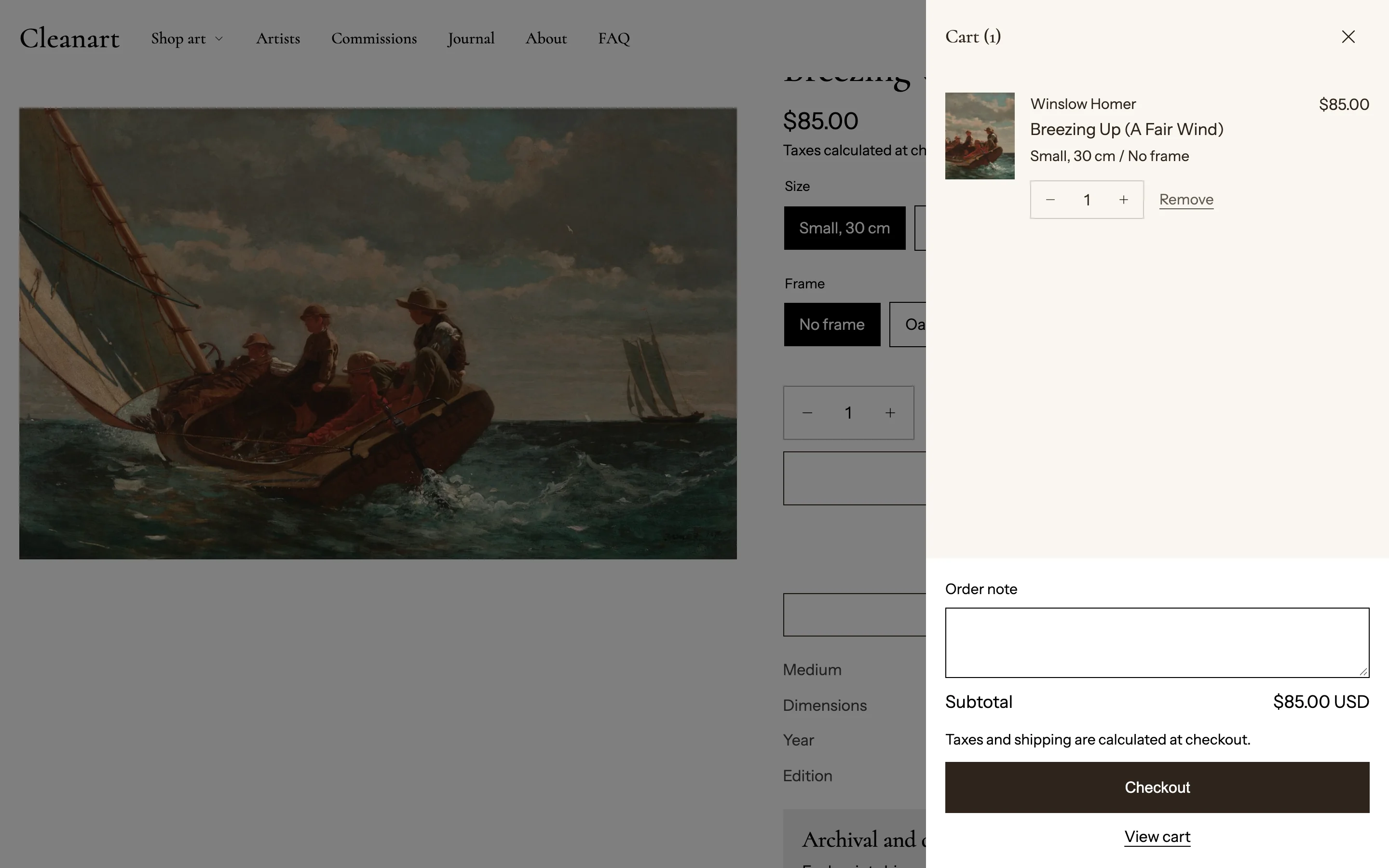 Theme settings > Cart > Cart type: Drawer slides in from the side; Page goes to the cart page.
After adding to cart
Products are added without reloading the page, with either cart type. The header cart icon dips and the count pops every time.
Open the cart after adding a product (on by default) then decides what happens next:
- On: the cart drawer opens, or with Cart type Page, the cart page loads once the count animation has played.
- Off: the shopper stays where they are; only the cart icon count updates.
If adding fails with Cart type Page, a short notice appears at the bottom of the screen.
Suggested products
In the Cart drawer section and the Cart page section, turn on Show suggested products (off by default).
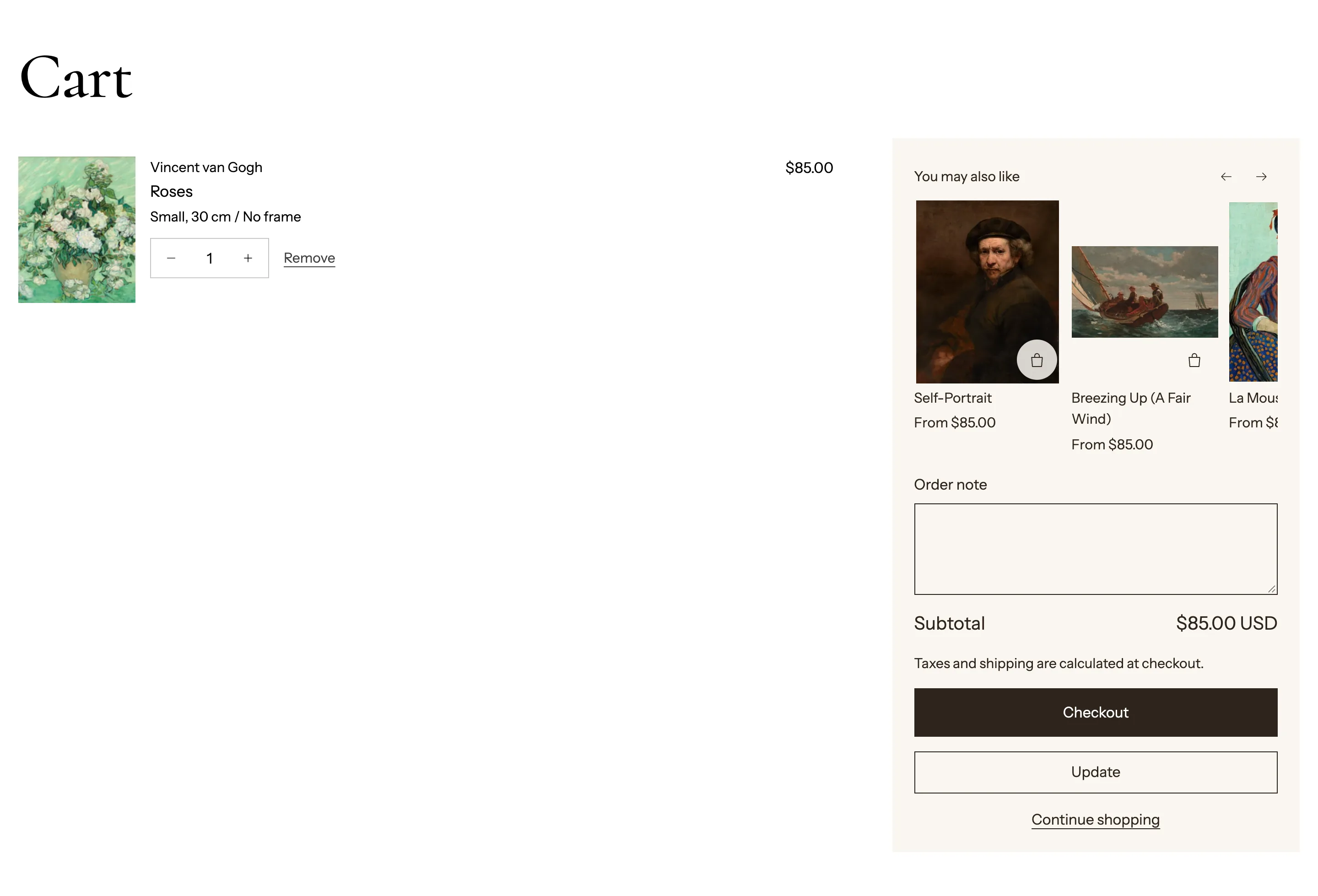
A "You may also like" row shows above the order note, and skips items already in the cart.
- Heading.
- Source: Collection or Selected products, with Collection or Products to match.
- Maximum products.
Removing items
Select Remove and the row slides aside and folds away while the cart updates. If the change fails, the row comes back and the error is shown.
Both the quick add on product cards and the product page's Add to cart button show their progress while the item is added (see Product cards and Product page).
In the cart
- Quantity stepper (minus, number, plus). The plus button stops at the stock available or a quantity rule's maximum. Quick clicks are combined into one update.
- If the cart cannot change, for example not enough stock, a clear message appears and the quantity returns to what the cart holds.
- Order note: turn on with Show order note in the Cart drawer section and in the Cart page section.
- Discounts show on each line and in the totals; subscription plan names and unit prices show on lines.
- Drawer colors: Cart color scheme and Cart footer color scheme.