Select the Header in the theme editor.
Layout
- Layout: logo and menu in one row, centered logo with the menu below, or left logo with the menu below.
- Menu, Menu alignment, text size and spacing.
- Bottom edge: none, a soft tone or a thin line.
- Sticky behavior: not sticky, always visible, or shown when scrolling up; optionally shrinks while scrolling.
Mega menu
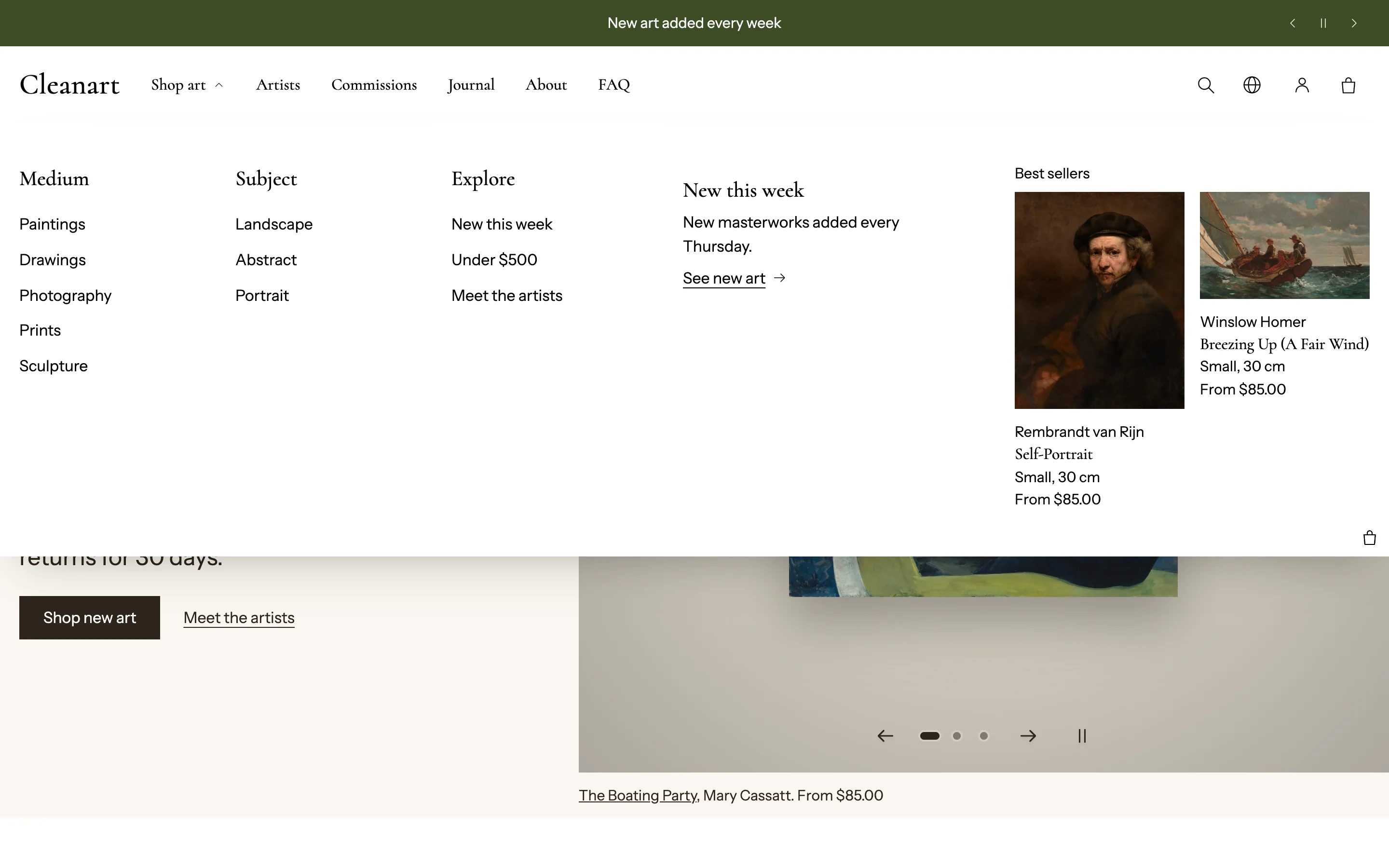 Menus with second and third levels open as a mega menu on desktop.
- Open menus on: click or hover. Animate menus.
- Maximum columns, Show links under column headings, Panel width (page width or full width).
- Add blocks to fill the panel: Promo tile (image with link), Featured artwork, Product cards or an Extra column.
Search
Search style: an icon, a search field, or hidden. The search opens the Search drawer, set in its own section.
Language and country
Show language and country selector, with a globe icon or an icon with the language and currency. Show the language selector, country selector, or both.
Account and cart
- Show account and its Account menu (uses Shopify customer accounts).
- Show cart, Cart icon (bag, basket or cart), Show item count with scheme or custom count colors. When an item is added without opening the drawer, the cart icon dips and the count pops.
Mobile menu
Opens from left or right, menu font, social links and a short text under the menu.
Announcement bar
A separate section above the header: rotating messages with previous, next and pause buttons, and an optional countdown to an end date and time (for a sale or show opening), with text to show when it ends.