Open a product in the theme editor (use the page selector at the top: Products > Default product). The page is built from the Product information section and the sections below it.
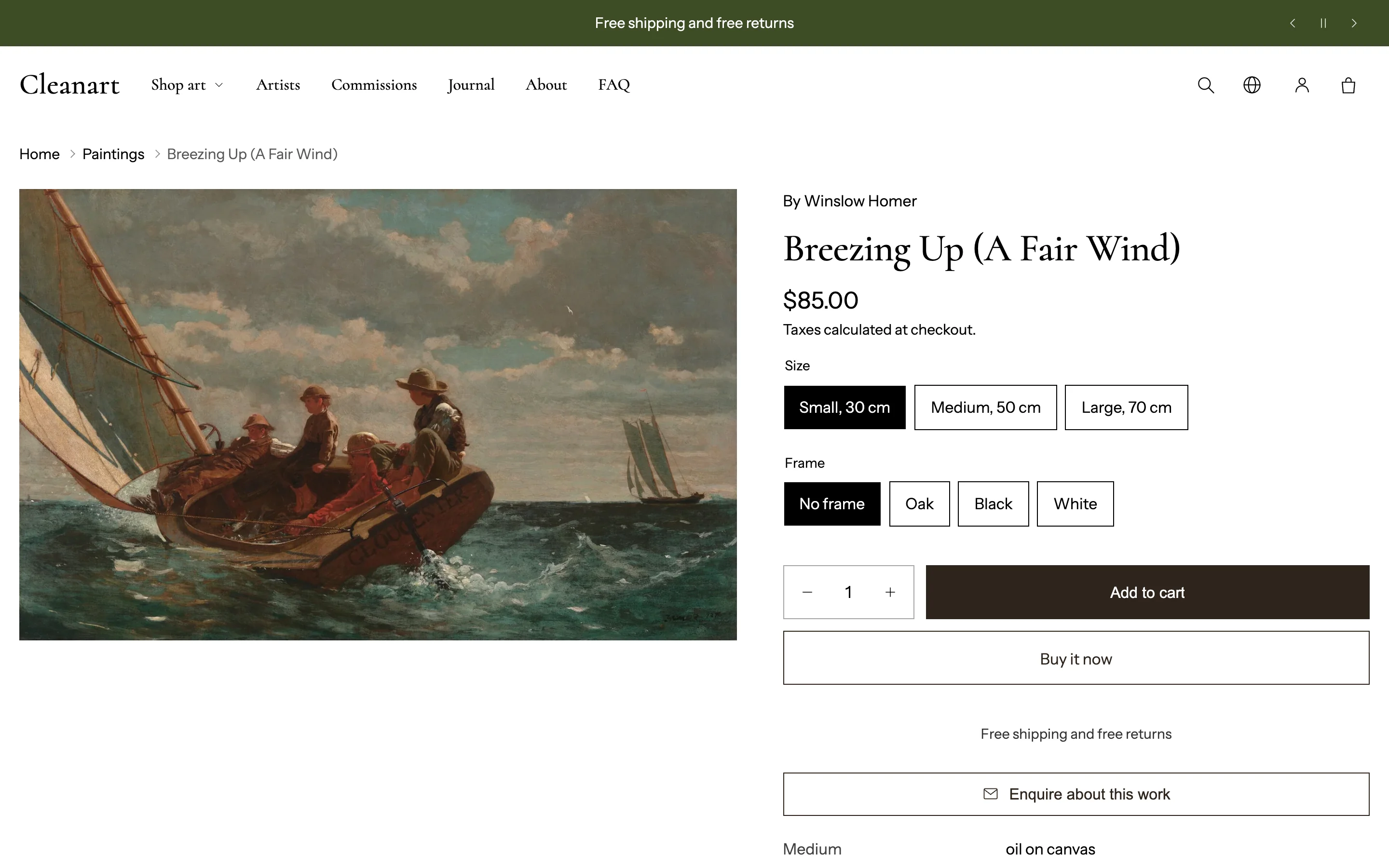
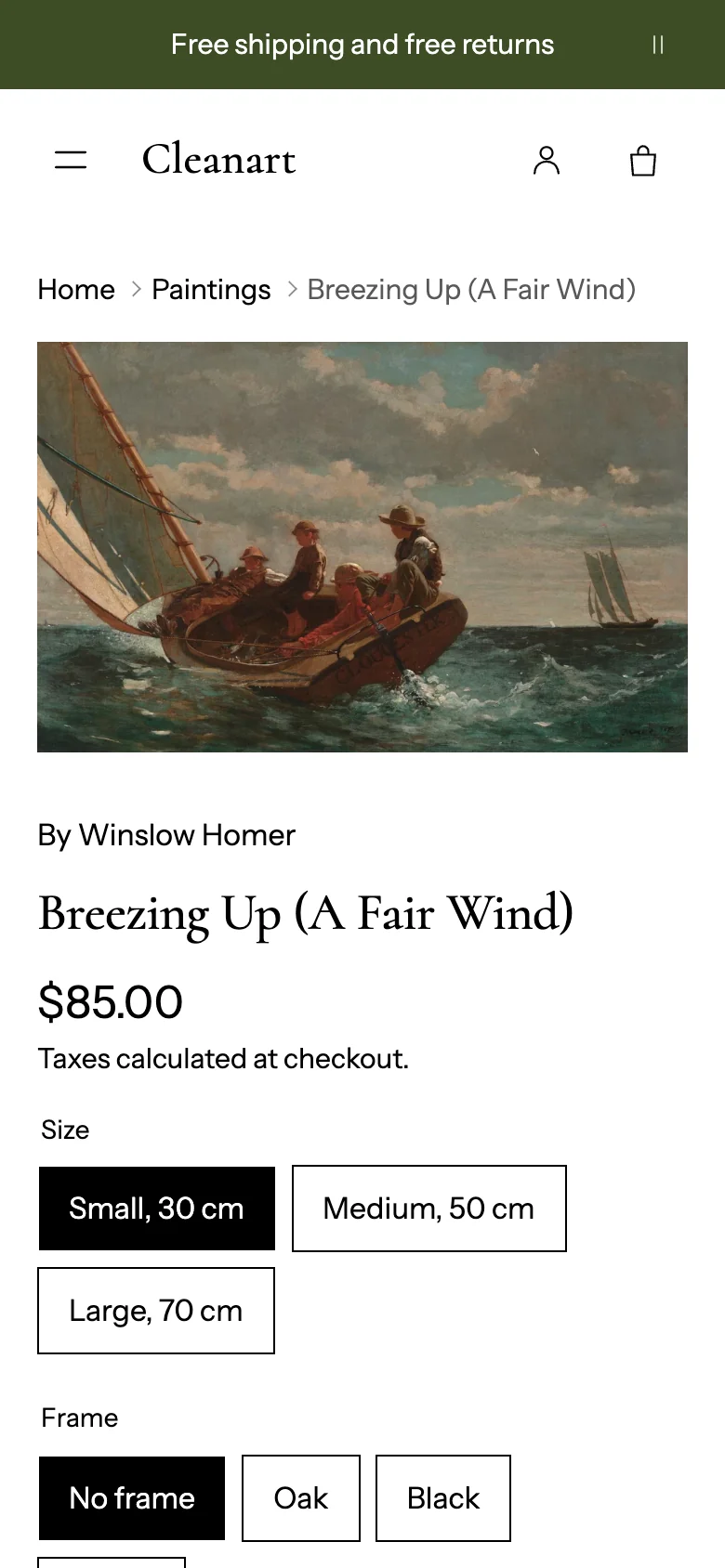
Gallery
In Product information:
- Layout on desktop: thumbnails below, thumbnails beside, swipe carousel, stacked, or grid with the first picture large. Layout on mobile: swipe carousel, main picture with thumbnails, stacked, or grid.
- Zoom the main picture (under the mouse, or by tap on phones) and zoom level.
- Thumbnail size, shape and fit; image ratio, fit, border and corners; Keep in view while scrolling for the picture column.
- Videos, YouTube or Vimeo videos and 3D models work in every layout.
Blocks in the details column
Add, remove and reorder blocks: Artist, Title, Price, Description, Text, Heading, Variant picker, Purchase options, Quantity selector, Buy buttons, Low stock message, Tabs, Accordion row, Icon with text, Button, Divider, Pickup availability, Enquire button, Artwork details, Artist note, Certificate, Framing guidance, Shipping note, Share, Printable artwork details, Custom liquid, and app blocks.
Key blocks:
- Variant picker: square or round option buttons. Size and Frame options appear as chips.
- Buy buttons: Add to cart style (theme, solid, outline, glass, soft tint), bag icon, Animate Add to cart while adding (a progress line, then "Added"), Shop Pay Installments, and dynamic checkout buttons (Buy it now).
- Purchase options: shown for products sold with subscriptions (selling plans).
- Low stock message: "Only 3 left" below a threshold you set.
- Artwork details: medium, dimensions, year, framing and edition from the artwork data.
- Artist note: a note in the artist's words with their signature, from
cleanart.artist_noteandcleanart.signature. - Certificate: a short panel that tells buyers what comes with the work, for example a signed certificate.
- Enquire button: opens a form that sends the visitor's question, with the work's name and link, to your store email.
- Tabs and Accordion row: extra information typed in or taken from a page.
- Pickup availability: shown when your store has pickup locations.
Show sticky add to cart bar keeps a slim buy bar on screen when the buy buttons scroll away.
See it on a wall
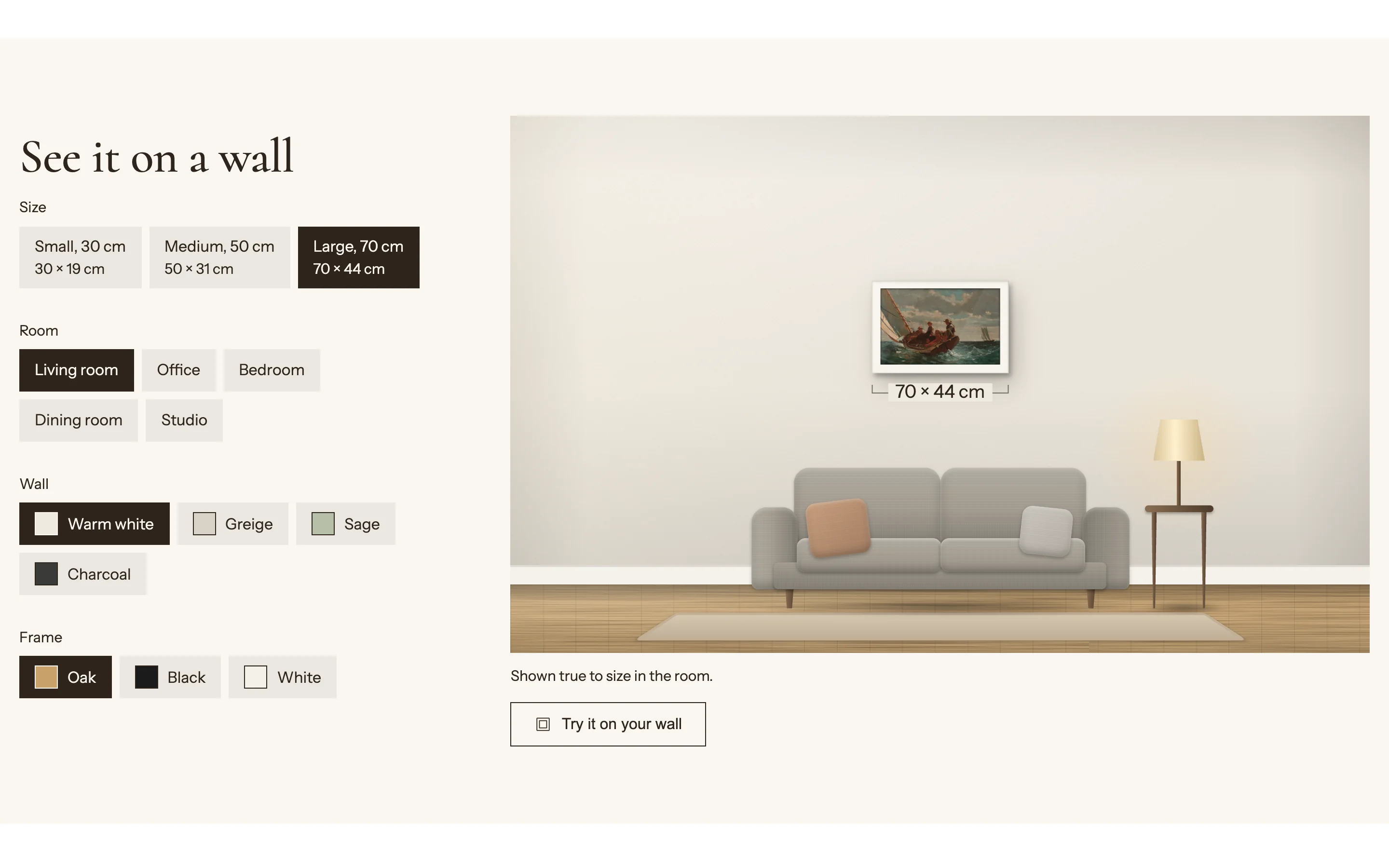 The See it on a wall section shows the work at true size in a furnished room: living room, office, bedroom, dining room or studio, with floor, lighting and props you choose.
- Size chips come from the Size option; frame chips from the Frame option, with the price following. Add Frame and Mat color blocks named like your options.
- Try it on your wall: shoppers take or choose a photo of their wall, drag two circles onto something they know the length of (such as a door or an A4 sheet), then place the framed work at real scale and save the picture. Nothing is uploaded.
See Add your artworks for how sizes and frames are named.
Printable artwork details
The Printable artwork details block (hidden by default; show it with the eye icon) adds a button that prints a one-page sheet: the work, its artwork facts, the size selected and the date. The standard wording says the work is a reproduction; change it in the block. Anyone can print it before buying, so it is a fact sheet, not proof of authenticity. Turn on Show signature line only if you sign each printed sheet.
Certificates of authenticity
If you sell originals or limited editions, give each buyer a certificate tied to their order:
- Add a certificate section to the order confirmation email in Settings > Notifications > Order confirmation, listing each item, its variant and order number.
- Or include a printed, signed certificate in the package, and say so with the Certificate block.
- For numbered editions, record the edition number on the order (an order note, a line item property, or an edition-numbering app) and print it on the certificate.
Sections below the product
Product story (an image with the work's story and facts), More by this artist (same vendor), Product recommendations (related, or complementary products set in Search & Discovery), Recommended products, Recently viewed.